Online meetings have become indispensable in the new way of working. That said, online meetings do not always run flawlessly. Not everyone finds it easy to use the various online meeting tools.
Microsoft Teams, Google Meet and Zoom are generally the most common meeting tools. But which tool is actually best for your situation? And which features within that tool can you make the most of?
Valo supports larger online meetings and online events. This way you do not have to worry about the technology and can focus entirely on the content.
How does online meeting work?
In online meetings, people come together in a digital space using an online meeting tool. This can be an internal team meeting with a limited number of people, but also a general meeting, where hundreds of people come together online simultaneously.
To make an online meeting run smoothly, you need at least a good (wired) internet connection, a camera and a microphone. When organizing large-scale gatherings, a moderator is needed to keep everything on track. For example, a moderator makes sure everyone who is not speaking is set to mute, and can also manage the chat function, ensure videos or presentations are shown at the right moment, and more.
> Continue reading below the photo.
What is the best platform for online meetings?
At one end of the spectrum you have online event tools, at the other end video-conferencing tools. Online event tools are highly suitable when wide reach is desired; video-conferencing tools are especially suitable when a high degree of interaction is needed.
Larger organizations often work with a fixed platform, where users only have a choice between the various functions within that platform. Within Zoom, in addition to Zoom Webinar, you now also have Zoom Events functionality; the same applies to MS Teams, where you can organize Live Events.
When you can choose between different tools, it is good to be clear in advance about what the main purpose of the online meeting is, what the target group’s wishes are and what requirements a platform must meet.
Zoom meetings are especially suitable when you want to meet online with a large number of participants. Zoom is fairly accessible. Participants outside your own organization can also join the online meeting in just a few simple steps by sharing a ‘meeting link’.
Zoom has a number of useful features you can use during your online meetings. There is a whiteboard function, you can use breakout rooms, and you can also run polls during the online meetings. When organizing a professional Zoom meeting, it is good to think in advance about which roles need to be filled and whether it will be an online event or a hybrid event. Providing Zoom onboarding for the presenter and speakers ensures your online meeting is prepared down to the last detail.
Online meetings in Teams
The Microsoft Teams videoconferencing tool is a pleasant tool for organizing online meetings with a relatively small number of participants where interaction is desired. To join a Teams meeting, you need a Microsoft account. Organizations often already work with other Microsoft programs, which makes using Teams the obvious choice for organizing internal online meetings.
The chat and calling function makes communicating with colleagues at a distance extra easy. Microsoft, unlike Zoom, has servers in Europe. Companies that work with a strict (data policy) policy therefore often prefer to work with Microsoft Teams.
It saves (travel) time, online meetings are often more efficient.
The content is reusable, which is great for participants who could not attend the meeting and want to watch it back afterwards.
It is cost-effective, you often save the costs of a venue, parking and catering.
It is accessible, especially when participants come from all over the country, the number of willing participants will increase.
You can create a unique experience, with video there are many possibilities to alternate speakers with pre-recorded video material, polls, et cetera.
Tips for online meetings
If you want to come across professionally in a video meeting, technology and organization are not the only things that play a crucial role; how you appear on camera also matters. In our blog about video meetings you will find seven tips on how to come across professionally during your online meetings.
A ‘simple’ meeting you organize yourself is of course (almost) free. A subscription to MS Teams, Zoom or Google Meet does not need to cost much, and everyone has a laptop or smartphone with a webcam and microphone.
Let us take care of it and focus on the content
Organizing a larger meeting with external participants and everything simply needs to run smoothly? Hire a professional who knows your meeting tool from A to Z, advises you well in advance, sets everything up correctly beforehand and adjusts things during the meeting where necessary so everything runs like clockwork. Valo has specialists who know everything about Teams and Zoom, among others. From as little as €600 per day, you can be taken care of.
Make your meeting an online talk show
Want to really stand out and enrich your meeting with good image and sound, presentations and other audiovisual support? At Valo we like to approach an online meeting as if it were a talk show, complete with a TV format.
If you want to take your virtual meeting more professionally, there are a number of considerations you can make that affect the costs. Do you want to meet fully online or also invite people physically? Maybe you want to get out of your own office and use a professional (livestream) studio? That is possible, and you can rent a studio from €400 per half day.
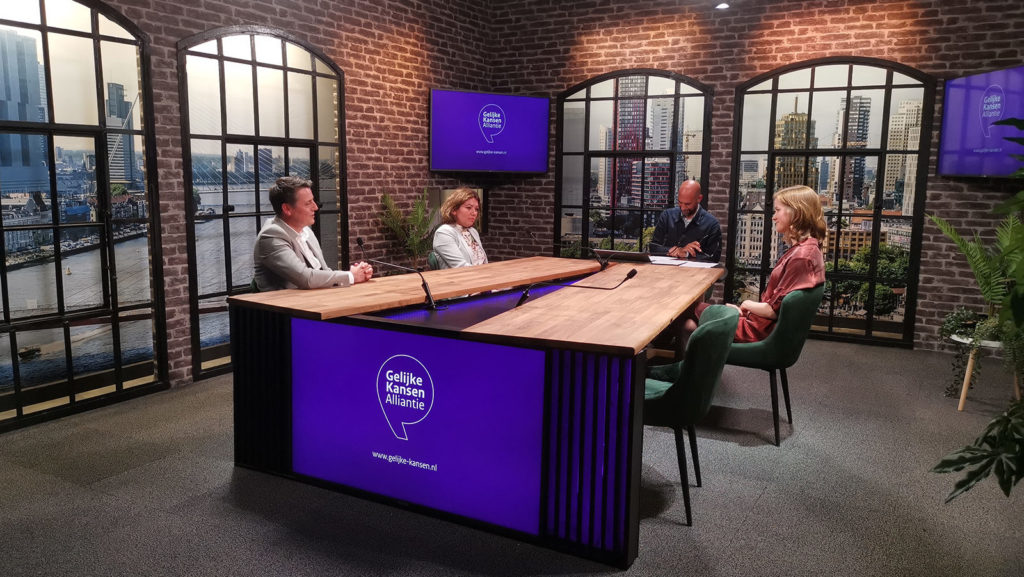
Organize your meeting from a professional studio.
Bring in your own Matthijs van Nieuwkerk or Eva Jinek
Keep your colleagues sharp and have your online meeting led by an experienced chair, external speaker or (TV) presenter. That takes your meeting to a higher level.
Use supporting presentations, videos and other visuals
Boring PowerPoint presentations? Have them edited by a copywriter and designed by a graphic designer. Going to show video material or other visual support? Then it is useful to hire a videographer to produce it professionally and deliver it in the right format for your video meeting. A professional video typically costs around €2,500 to produce, depending on your wishes.
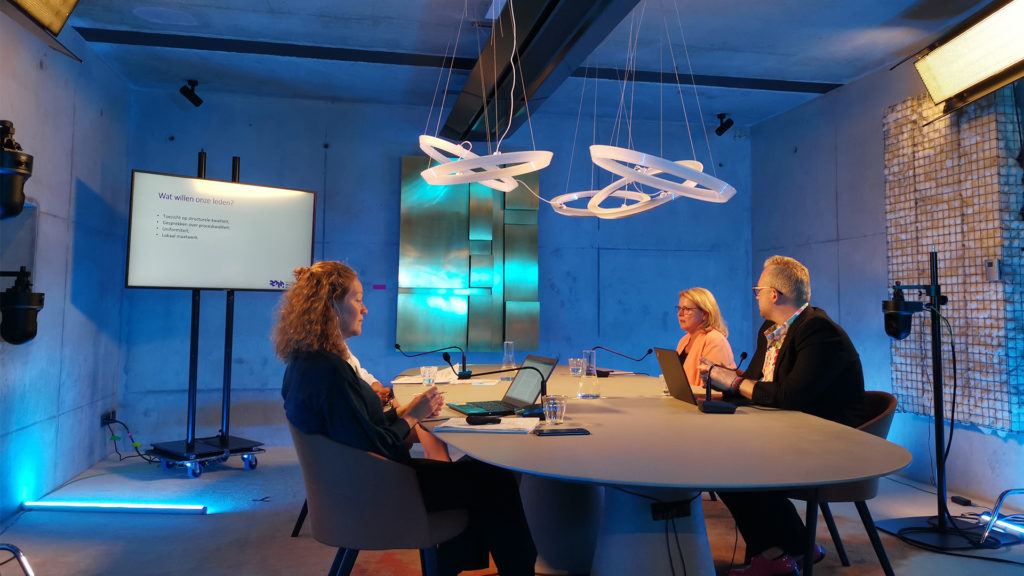
Meeting room at KNOV, the professional organization for midwives.
Treat your meeting room as a studio
Good image and sound quality is really a must for a professional appearance. Have your meeting room equipped with good equipment so you can easily meet online at a high level yourself.
Valo would be happy to think along about the technical realization, but also about how to turn that dull conference room into a nice place that stimulates the senses. Our team has built several meeting studios, complete with beautiful interiors and good cameras and microphones, from which you can actually just broadcast a TV program.
Meeting room at BMK, the trade association for childcare.
All these matters have a large positive impact on your online meetings and the image of your organization. Valo would be happy to give you a personal explanation of the possibilities; you can also view our pricing page for a rough indication of the costs to have your online meeting managed by professionals.
Frequently asked questions
In an online meeting, several people take part in an online video call. These calls can be set up with free or paid tools such as Zoom, Microsoft Teams, or Skype. It is useful to choose a tool participants already know or one that is standard within the organization.
To facilitate an online meeting, you can use software such as Zoom, Microsoft Teams, Webex, Google Meet, Skype, BlueJeans, Anymeeting, or Slack. Some of these tools are free, such as Zoom, Google Meet, and Skype, while others require a paid account.